> ## Documentation Index
> Fetch the complete documentation index at: https://upstash.com/docs/llms.txt
> Use this file to discover all available pages before exploring further.
# Cost Explorer
The Cost Explorer pages allow you to view your current and previous months’ costs. To access the Cost Explorer, navigate to the left menu and select Account > Cost Explorer. Below is an example report:
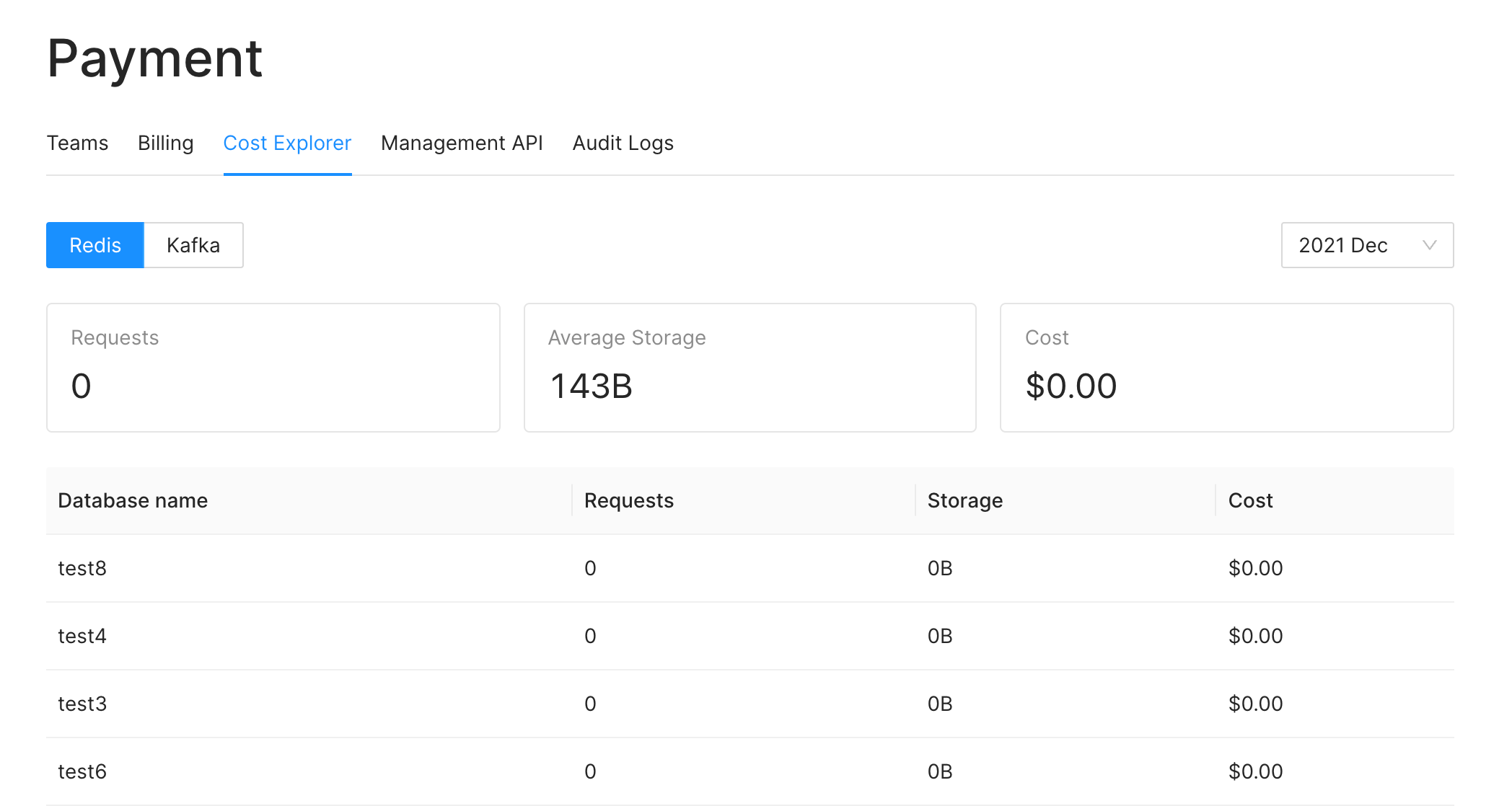 You can select a specific month to view the cost breakdown for that period. Here's the explanation of the fields in the report:
**Request:** This represents the total number of requests sent to the database.
**Storage:** This indicates the average size of the total storage consumed. Upstash database includes a persistence layer for data durability. For example, if you have 1 GB of data in your database throughout the entire month, this value will be 1 GB. Even if your database is empty for the first 29 days of the month and then expands to 30 GB on the last day, this value will still be 1 GB.
**Cost:** This field represents the total cost of your database in US Dollars.
> The values for the current month is updated hourly, so values can be stale up
> to 1 hour.
## Related topics
- [Costs](/docs/redis/sdks/ratelimit-ts/costs.md)
- [Backendless Coin Price List with GraphQL API, Serverless Redis and Next.JS](/docs/redis/tutorials/coin_price_list.md)
- [$fuzzy](/docs/redis/search/query-operators/field-operators/fuzzy.md)
- [Build a Real-Time Chat Application with Serverless Redis](/docs/redis/tutorials/python_realtime_chat.md)
- [Methods](/docs/redis/sdks/ratelimit-ts/methods.md)
You can select a specific month to view the cost breakdown for that period. Here's the explanation of the fields in the report:
**Request:** This represents the total number of requests sent to the database.
**Storage:** This indicates the average size of the total storage consumed. Upstash database includes a persistence layer for data durability. For example, if you have 1 GB of data in your database throughout the entire month, this value will be 1 GB. Even if your database is empty for the first 29 days of the month and then expands to 30 GB on the last day, this value will still be 1 GB.
**Cost:** This field represents the total cost of your database in US Dollars.
> The values for the current month is updated hourly, so values can be stale up
> to 1 hour.
## Related topics
- [Costs](/docs/redis/sdks/ratelimit-ts/costs.md)
- [Backendless Coin Price List with GraphQL API, Serverless Redis and Next.JS](/docs/redis/tutorials/coin_price_list.md)
- [$fuzzy](/docs/redis/search/query-operators/field-operators/fuzzy.md)
- [Build a Real-Time Chat Application with Serverless Redis](/docs/redis/tutorials/python_realtime_chat.md)
- [Methods](/docs/redis/sdks/ratelimit-ts/methods.md)