

GitHub Repository
You can find the project source code on GitHub.
Prerequisites
- Create a Google Cloud Project.
- Enable billing for your project.
- Enable the Cloud Run, Cloud Build, Artifact Registry, and Cloud Logging APIs.
Database Setup
Create a Redis database using Upstash Console or Upstash CLI. CopyUPSTASH_REDIS_REST_URL and UPSTASH_REDIS_REST_TOKEN for the next steps.
Counter Function Setup & Deploy
Google Cloud Functions is now part of Cloud Run, as Cloud Run functions. You create and deploy functions from the Cloud Run console.- Go to Cloud Run in Google Cloud Console.
- Click Write a function.
- Enter a service name, pick a region, and select a recent Node.js runtime.
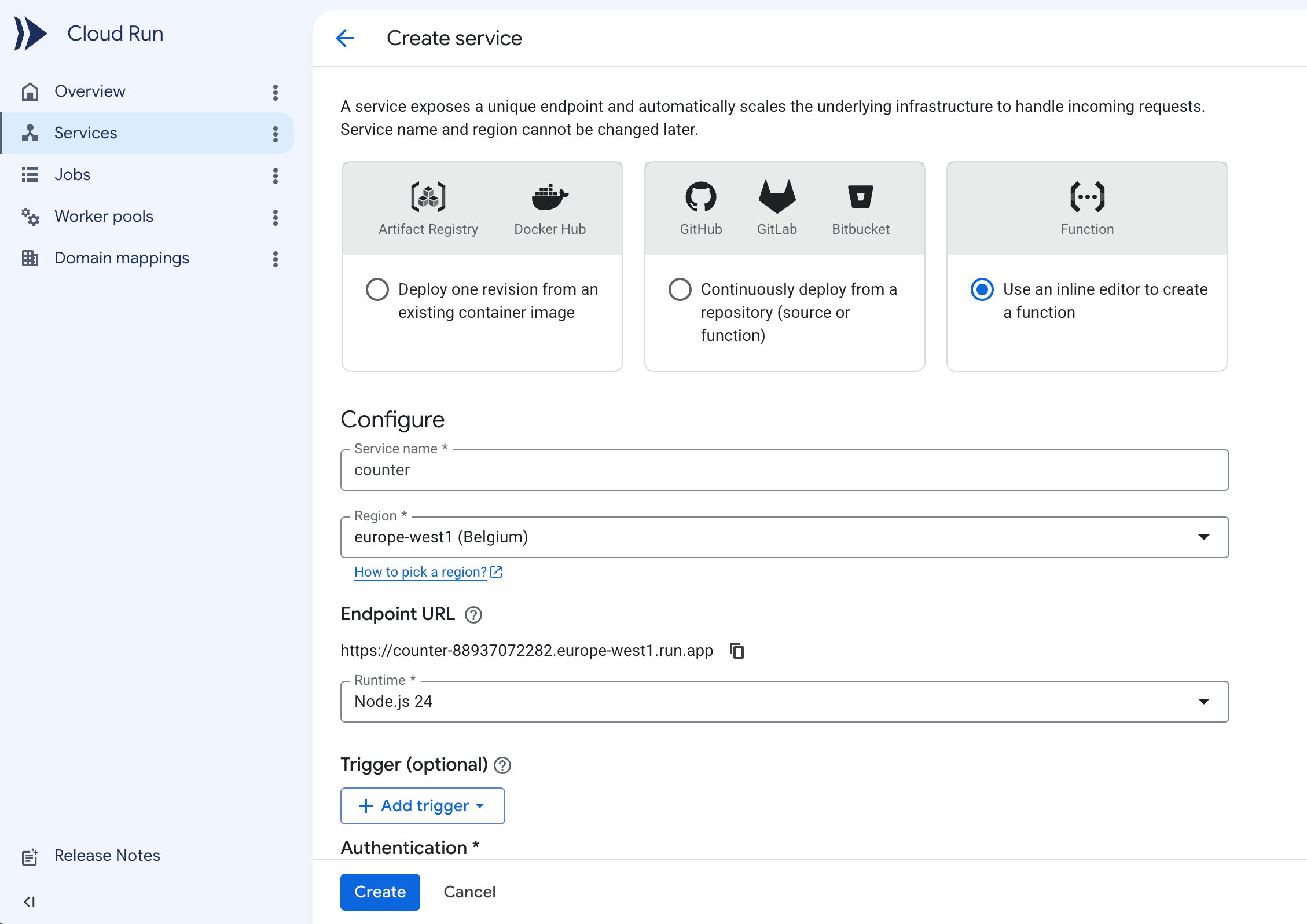
- Under Authentication, select Allow public access.
- Expand the Containers, Volumes, Networking, Security section. In the Variables & Secrets tab, add the
UPSTASH_REDIS_REST_URLandUPSTASH_REDIS_REST_TOKENenvironment variables with the values from your database.
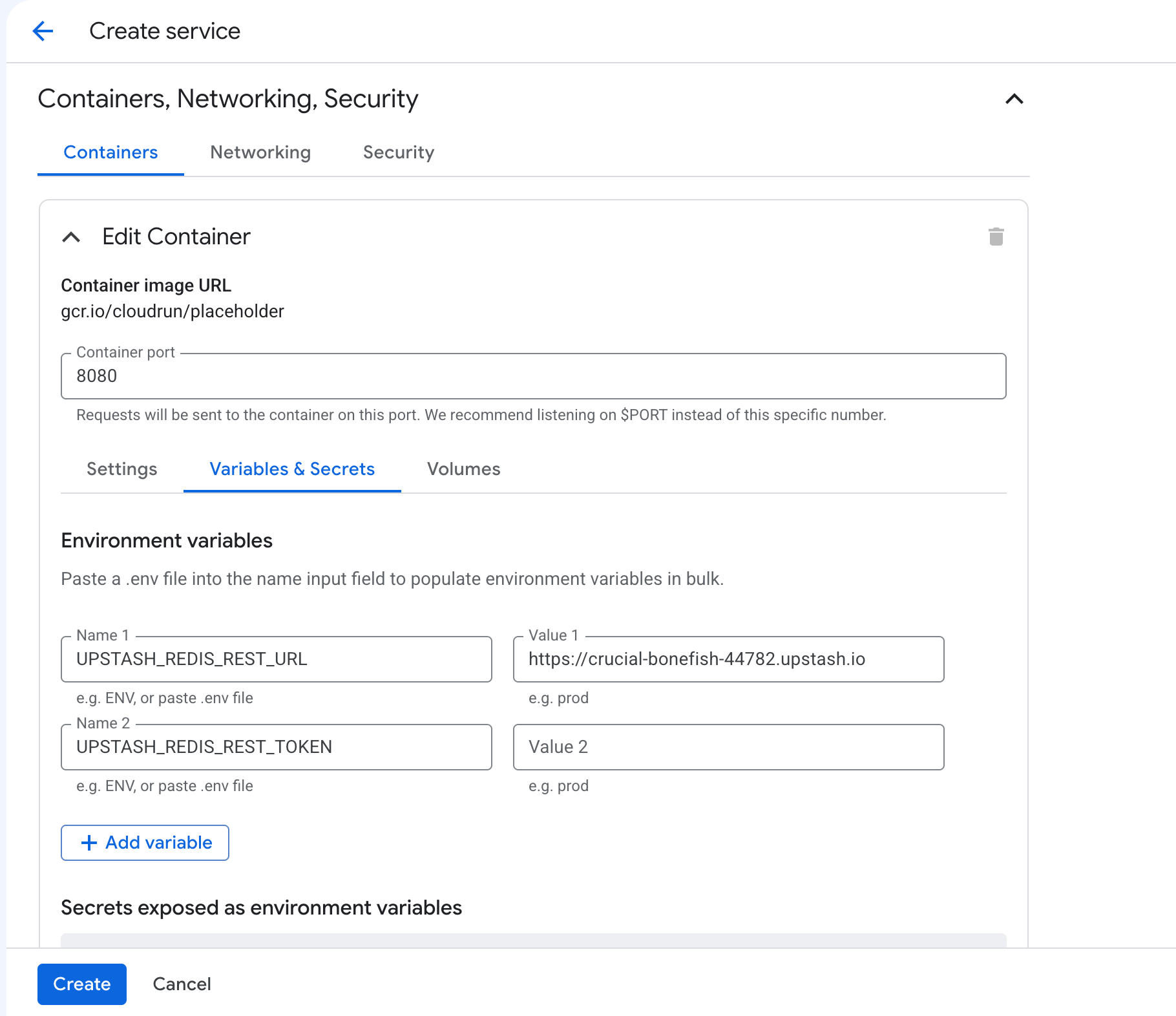
- Click Create. The console creates the service and opens the inline source editor.
- Set Function entry point to
counter.
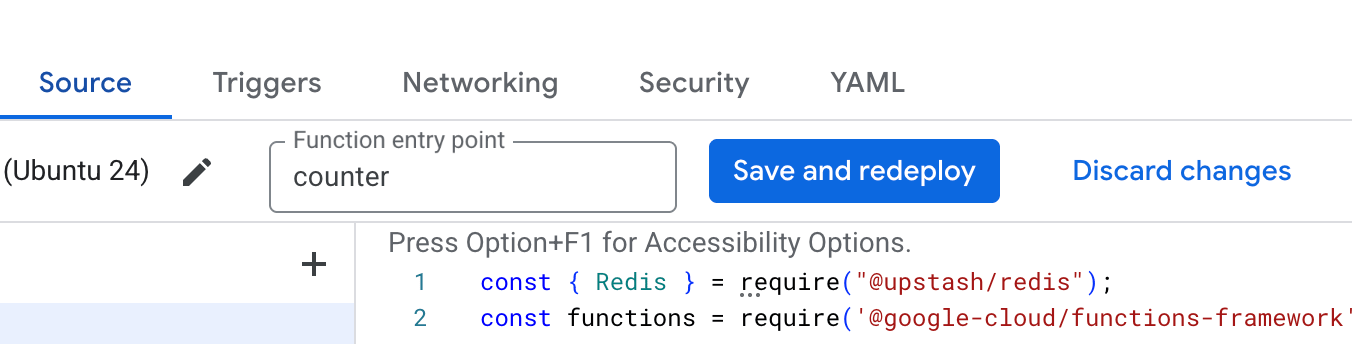
- Update
index.js
index.js
- Update
package.jsonto include@upstash/redis.
package.json
- Click Save and redeploy.
- Visit the URL shown at the top of the service page.